
Version 1.0 is now live!
Custom Fields
for the Gutenberg era.
Meet Modern Fields, a visual custom fields builder for the WordPress block editor. Design beautiful, native custom fields right in Gutenberg. No code, no friction.
Help us improve Modern Fields. Give us feedback.

A new way to build custom fields
Custom fields, reimagined to fit perfectly the block editor.
Discover the awesome features of Modern Fields in 2 minutes:
Build fields in the block editor
Build field groups visually directly in the block editor. 20+ native WordPress fields are available.
Assign groups to locations
Assign your fields group anywhere in the WordPress admin: pages, posts, settings, taxonomy…
Display values in your templates
Bind the data anywhere in your templates. No code required.
Design your fields groups visually
With Modern Fields, you can design stunning metaboxes and complex options pages in minutes.
The block editor is the canvas
The same editor as your posts. It means that you can design your field groups with columns, grids, rows, stacks, accordions, tabs and every other blocks provided by WordPress.
Fields are blocks
Each field is a block in the editor, so you can put them wherever you want. Each field come with its own options and customizations.
Prettier, but also faster
The block editor allows you to design exactly what you have in mind, faster than ever. Discover our patterns for an even faster experience.
Fields for every need
We have fields for every use case. Built with native WordPress controls, so they feel right at home in the editor, every time.
Text
Number
RichText
Textarea
PRO
Repeater
The repeater field allows you to repeat your fields indefinitely.
Multi token
Button group
Radio
Checkbox
Toggle
Range
Select
Date
Time
PRO
Relation
Connect posts between them and create deep relations between your content.
Image
Color Palette
Spacing
Unit
Border
File
URL
And more…
Add groups anywhere in WordPress
Once your group is ready, choose where to display it.
Will it be in Pages, Posts, any custom post type? A separate options page? Or even in taxonomies, user profiles, and even blocks? It’s up to you!
Display values in your templates
You know the best part? You don’t need code to display your values! Modern Fields provides a block and bindings for that.
Visually
The Field Value Block allows you to bind any values in 3 clicks, from the post, the author or even options pages.
With code
You prefer the old way? You can display values in your custom blocks with our PHP functions get_field() and the_field().
Why Modern Fields?
The custom fields plugin WordPress should have shipped with.
Design in real time
Create your groups visually directly in the block editor, so you know exactly what your custom fields will look like.
Arrange your fields exactly the way you want them to look.

Build faster
Creating field groups can be boring and time-consuming, but not with Modern Fields.
Just drag & drop your fields inside the editor and you’re done faster than ever!


Add your custom fields everywhere
Modern Fields offers a lot of original locations to put your fields in.
Native controls
Modern Fields was made for Gutenberg and uses the native fields of the editor for a seamless user experience.
Write code? No thanks!
Simply use the field value block to display your custom fields values inside your templates. No coding required!

Performance that matters
Modern fields adds a layer on top of WordPress to help you design beautiful meta fields. But under the hood, only native functions are used.
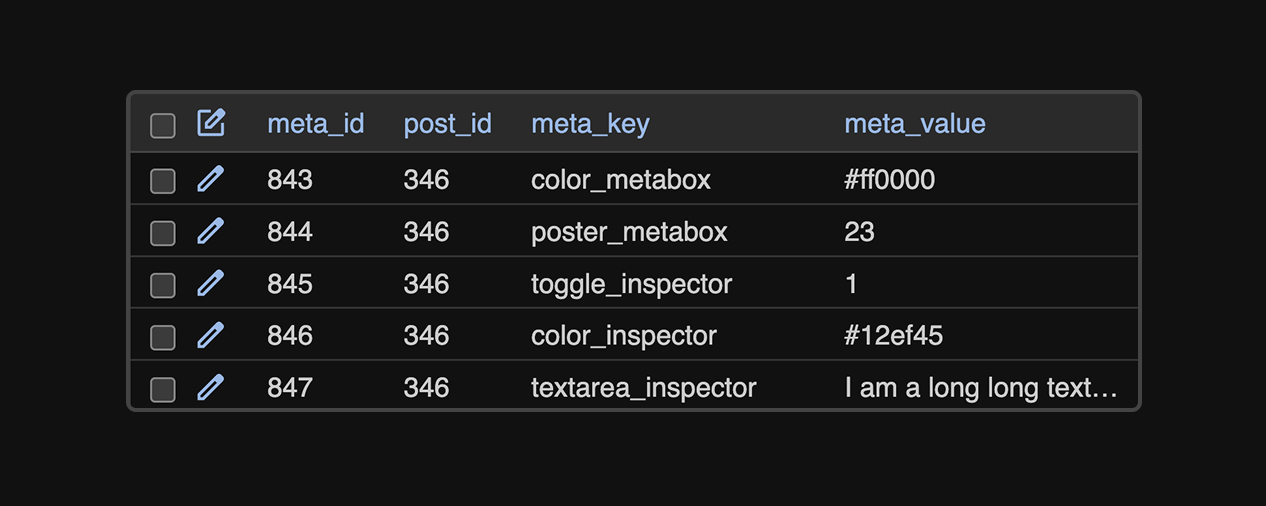
When you get a field, the value is directly retrieved from the database. No processing in-between. No double meta save in the database.
Stay closer to your theme
Control the colors, spacing, and sizes from your theme. Modern Fields is aware of your theme.json values.

They love Modern Fields
Some love from our users

Alexandre Bortolotti
WP Marmite founder
Wow! Finally, a block based ACF alternative.
« I’ve been searching for an alternative to ACF that integrates more natively with the Gutenberg editor for a while, and after using one on my first project I can say I’m pleasantly surprised. Looking forward to testing it on more websites! »

Nicolas Rivière
WordPress agency owner
A modern, WordPress-native field builder.
« Modern Fields offers a truly modern, WordPress-friendly approach to custom fields, with an impressively polished UX, and I’m really looking forward to seeing how it evolves. »

Benjamin grolleau
WordPress developer
A very good, modern alternative field builder.
« At last, a modern field editor that’s truly adapted to the WordPress editor and takes full advantage of its capabilities. I dreamed of coding it myself, but you did it! Thanks! »

Valentin Grenier
WordPress Developer
The best ACF alternative for the block editor!
« I was looking for an easy solution to build custom fields using the new Gutenberg component, this solution perfectly fits my needs! Congrats! »

Florian Truchot
WordPress & AI specialist
Best alternative to ACF!
« Managing custom fields is very simple. And the rendering for clients is really beautiful! »

Thomas Deneulin
WP Umbrella co-founder
A very good user experience.
« I’ve been looking for an alternative to ACF that integrates more natively with the Gutenberg editor for some time now, and I wasn’t disappointed with my first project. It’s looking good. »
Try Modern Fields now
Design your first field group in 2 minutes. Free, easy to setup and no account needed.
Frequently asked questions
Do you still have questions about Modern Fields?
ACF (or Advanced Custom Fields) was made for the old WordPress, and the fields are not perfectly integrated in the new block editor experience. Modern Fields uses the native WordPress block for a seamless integration.
You can, but Modern Fields was intended to be used with the block editor (Gutenberg) and the Full Site Editing experience. You cannot edit your fields in Elementor for example, but they will be displayed in the native editor.
Yes. The field value block allows you to display your values anywhere in your website and it doesn’t require coding skills. But developers can access functions like the_field() and get_field() for their custom blocks.
Go further with Premium!
Everything you need to build powerful, professional WordPress sites.
Starting at only $49 per site per year.
14 days money back guarantee.
Repeater field
Define a group of fields that can be repeated at will.
Relation field + relation loop
A query loop where you select the posts to display.
Conditional logic
A container block to show inner fields conditionally.
Options pages
Register global options pages with your fields.
Field value block
Display your fields in your contents in one click.
Advanced query loop filters
Filter the query loop block with your custom fields.
Add fields to existing blocks
Add new settings to the native WordPress blocks.
Register custom blocks
Register custom blocks in PHP and assign a field group.
Advanced groups locations
Show field groups in a separate panel or modal.
Patterns library
Create beautiful options pages in one click.